
Stop retyping orders, delivery notes and invoices into your ERP
PO Reader reads every order, delivery note and invoice that lands in your inbox (PDF, Excel, scan or handwritten), checks it against your master data and posts it to your ERP. Anything that doesn't match waits for a person.
- SAP, Microsoft Dynamics, Sage…
- Any format, no templates: PDF, Excel, scans, email and even handwritten documents
- No lock-in, no commitment
- Your customers don't change anything
Subject: Order 4500123 — delivery week 42
Companies that trust PO Reader · A product by Aquiles Solutions
















Every order arrives differently. They all end up being typed by hand.
- 01
Every incoming PDF is typed in by hand, line by line. And there is always the doubt whether line 7 said 12 units or 21.
- 02
The process lives in two people's heads. When they're off, it shows. When volume spikes, it shows too.
- 03
And the mistakes don't stay inside: they turn into credit notes and calls from customers asking why their order was wrong.
Not just orders
The same AI that processes your orders reads any business document that comes in by email.
Sales orders
The use case PO Reader was born for. From email to ERP with no typing: the order is read, validated against your master data and created.
Delivery notes
It reads the delivery notes that arrive by email, extracts item codes, quantities and dates and records them in your ERP. Any differences go to the exceptions inbox.
Invoices
It reads invoices, validates amounts and terms against your data and records them in your ERP without retyping.
Read, check, post. Your team only handles the exceptions.
- 01Read
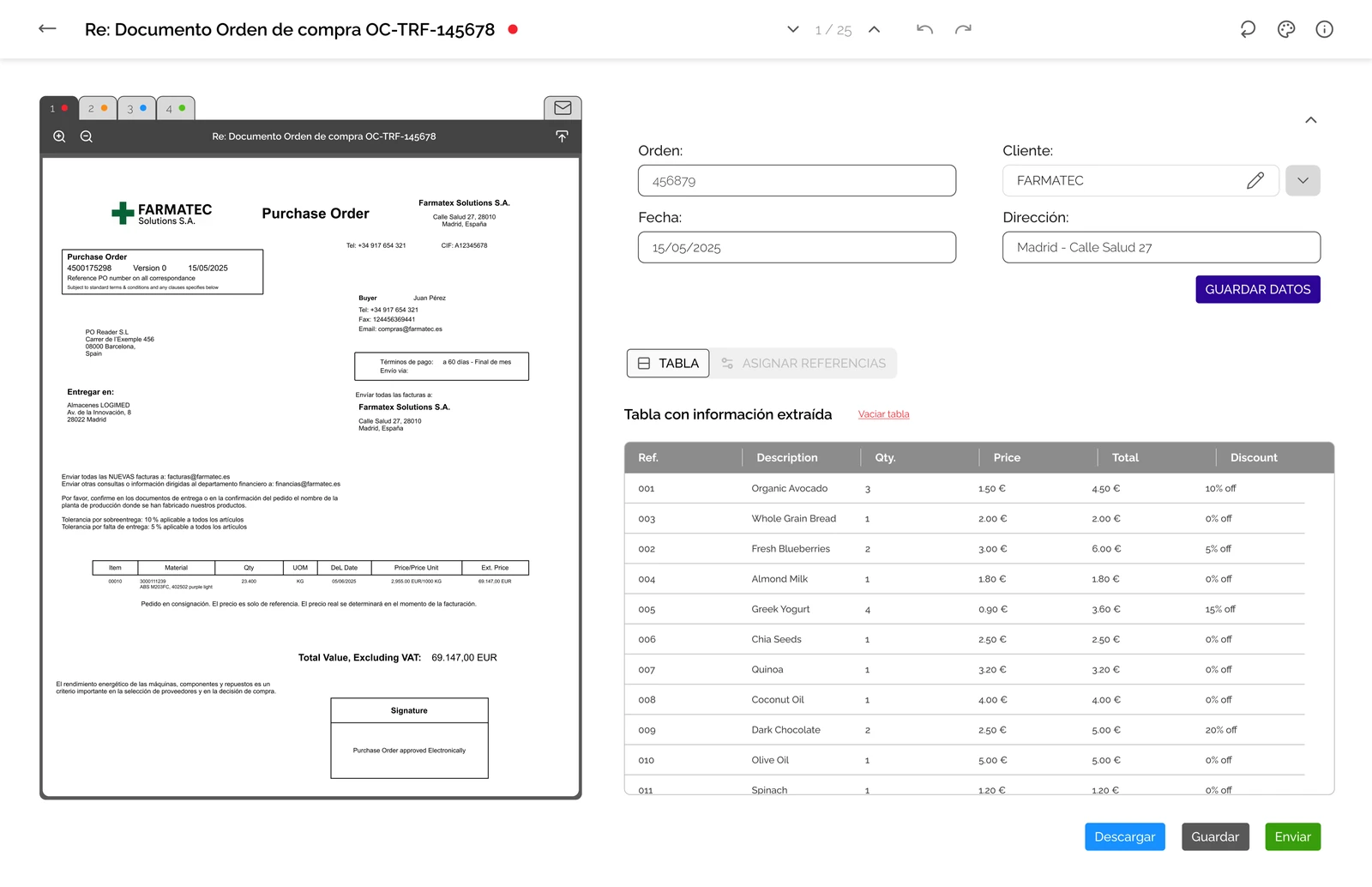
The AI identifies what kind of document has arrived in your inbox and who sent it, and extracts every data point in context. The format doesn't matter: a scanned PDF, a hand-made Excel sheet or the body of the email. No templates and no per-customer setup, even for handwritten documents.
- 02Check
It checks the data against your customer, product and price master data. It detects inconsistencies, duplicates and deviations before they reach the ERP.
- 03Post
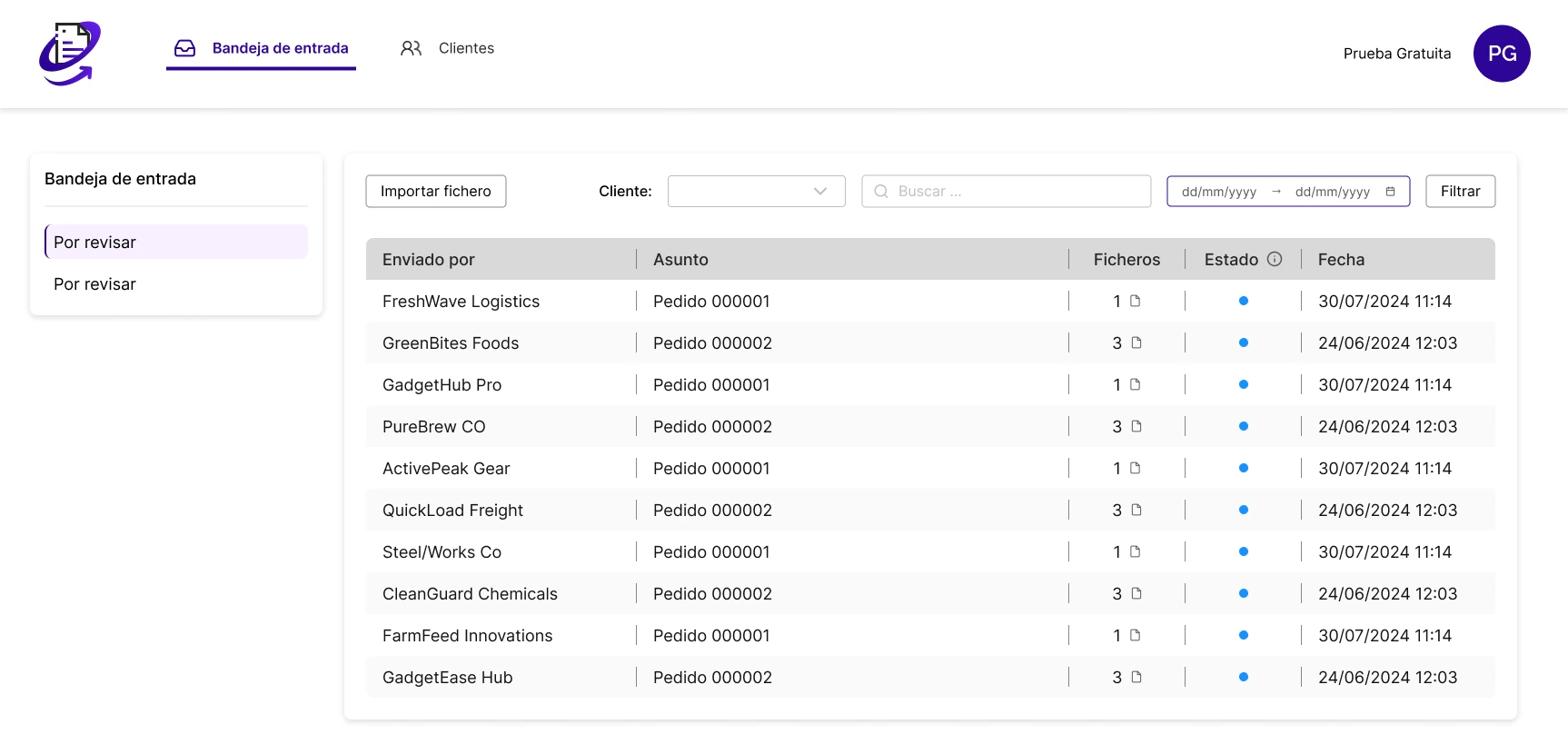
What matches goes straight into the ERP. What doesn't waits for human review with all the context in view, with no need to go back to the original document.
What disappears once PO Reader sits between your inbox and your ERP
- Whole afternoons typing documents into the ERP
- Depending on the one person who knows how it works
- Backlogs every time orders peak
- Mistyped item codes and prices
- Credit notes caused by data-entry errors
- Customer complaints about wrong deliveries
What you get back
Customers
Orders delivered right the first time. Conversations with customers are about business again, not incidents.
Billing & collections
Fewer credit notes and fewer invoices disputed because of data-entry errors, so payments arrive without delays.
Team
Your team works on judgement calls, not data entry. People handle the exceptions; everything else posts itself.
Full traceability
Every ERP record links back to the original document. No more black box.
Up to 70% less processing time for orders, delivery notes and invoices.
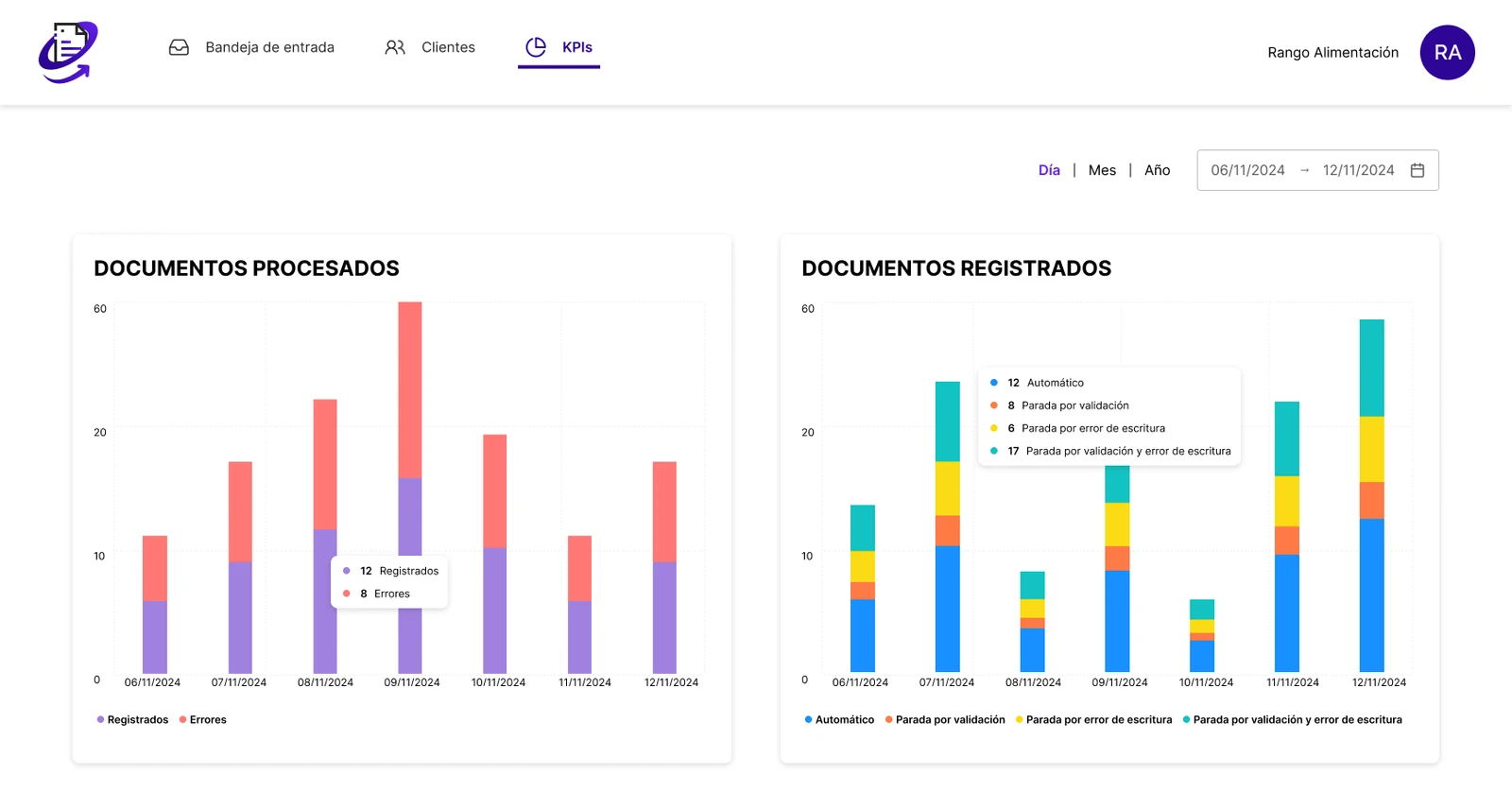
And with every document, operational metrics in a dashboard: what comes in, how much is processed automatically and where exceptions concentrate.
Built for any team that receives orders, delivery notes or invoices by email and keys them into an ERP.
PDF, Excel, Word, scans, handwritten documents or the body of the email. SAP, Microsoft Dynamics, Sage or any other ERP. Savings scale with volume: the more documents you type by hand today, the more you save tomorrow.
How much does manual document entry cost you?
Adjust the values to your company's figures. The starting values are market references, not your data: change them. All figures are in euros (€).
We'll calculate the return with your actual price in the proposal.
Full protection of your data
PO Reader has been designed to high protection standards to guarantee the confidentiality, integrity and availability of our customers' data, with security technologies and protocols aligned with international regulations.
Your questions answered
What does PO Reader do?
It reads the orders, delivery notes and invoices that arrive by email, extracts the data with AI, validates it against your master data and creates them in your ERP. Your team only steps in when something doesn't match.
Do I need to change my ERP?
No. PO Reader sits between your email and the ERP you already have: SAP, Microsoft Dynamics, Sage or any other.
Which formats does it process?
Any document, no templates: PDF, Excel, Word, txt, images, scans, information written in the body of the email and even handwritten documents.
Does it also work for invoices and delivery notes?
Yes. The same AI reads orders, delivery notes and invoices, validates the data and sends anything that doesn't match to the exceptions inbox.
What happens to documents that don't match?
They go to an exceptions inbox and your team decides with the context in view: they can review and correct the data before sending it. Nothing enters the ERP without validation.
Do my customers have to change anything?
No. Your customers keep sending orders as they always have. The change happens behind the scenes.
How is the document recorded if my customer uses different item codes from mine?
During implementation, each customer's item codes are mapped to those in your system, so the document reaches the ERP with your internal codes. It is just a code-mapping table: no templates per customer or per format.
How long does implementation take?
It depends on the integration with your ERP. After the first meeting or the demo, we send you a proposal with a specific implementation schedule for your case.
Does it read documents in different languages?
Yes. At PO Reader we know these situations well and take every possible language into account.
Once it's installed, will we have technical support?
Yes. Our technical team provides personalised support to answer questions and resolve incidents quickly, and we train your team during roll-out.
Let's look at your documents
Tell us how documents reach you today. We'll show you, on your own files, what PO Reader can automate.

PO Reader is a product by Aquiles Solutions. If your challenge goes beyond documents, we also build custom optimisation, data science and artificial intelligence solutions.
Discover Aquiles Solutions